
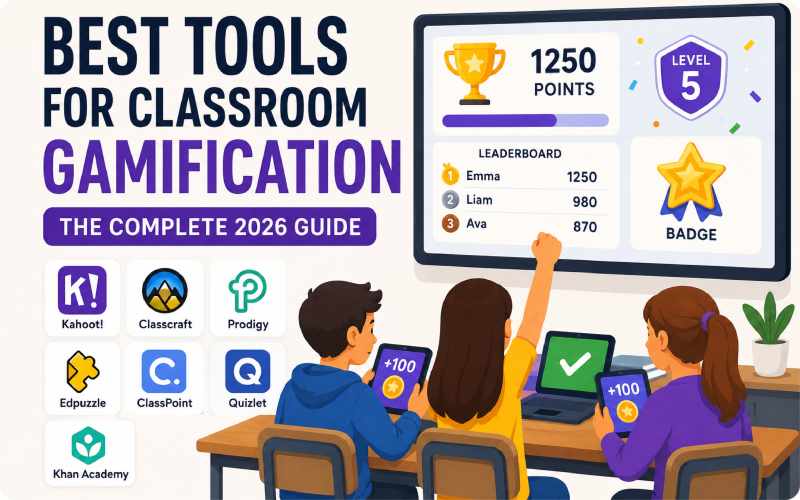
Quick Summary: This guide draws on real classroom experience. We tested these tools with actual students. You’ll find honest pros, cons, and pricing for each tool. A comparison table helps you decide fast. We also cover common mistakes teachers make.
Why Classroom Gamification Matters Today
Every teacher faces the same challenge. Students struggle to focus for long lectures. They grew up with instant feedback loops. Mobile games and short videos shaped their attention spans. A 45-minute lecture feels slow to them. This is where gamification helps.
Gamification adds game mechanics to real lessons. Points, badges, levels, and leaderboards drive engagement. It works because feedback becomes instant. Students see their progress visually. Healthy competition builds natural motivation. This isn’t just theory. Educational psychology supports these results. Self-determination theory explains this motivation shift. Behaviorist reinforcement models back it too.
Questions to Ask Before Choosing a Tool
No single tool works for every classroom. Match the tool to your specific goals. Ask yourself these questions first:
- What grade level do you teach?
- Do you need subject-specific practice tools?
- What is your available budget?
- Does every student have a device?
- Do you want live activities or homework tools?
Your answers will guide your final choice. Some tools work best for live classroom sessions. Others shine for self-paced homework practice.
Comparison Table: Best Classroom Gamification Tools 2026
| Tool | Best For | Grade Level | Key Features | Approx. Pricing | Device Needs |
|---|---|---|---|---|---|
| Kahoot! | Live quiz competitions | K-12, College | Points, timers, leaderboards | Free / Paid from $3-$8/month | One device per student |
| Classcraft | Whole-classroom RPG system | Middle & High School | Character levels, quests, teams | Free basic / Paid plans | Optional, teacher dashboard works |
| Prodigy | Math and English practice | Grades 1-8 | Adventure-style questions, reports | Free / Premium ~$8.95/month | One device per student |
| Edpuzzle | Interactive video lessons | K-12, College | In-video quizzes, analytics | Free Basic / Pro ~$13.5/month | Group viewing possible |
| ClassPoint | Gamified PowerPoint slides | K-12 | Stars, badges, AI quiz generator | Free / Pro plans available | Teacher device, optional student input |
| Quizlet | Flashcard revision games | All levels | Match game, Learn mode, Live | Free / Plus ~$7.99/month | Individual devices help |
| Khan Academy | Self-paced mastery learning | K-12 | Points, badges, mastery tracking | Completely free | Individual devices needed |
Note: Pricing changes over time. Always check the official website first.
A Detailed Look at Each Tool
1. Kahoot!: The King of Live Quizzes
Kahoot! remains the most popular gamification tool. Setup takes less than five minutes. Teachers create quizzes or pick existing ones. Students join live using their own devices. They earn points for speed and accuracy. A leaderboard appears after each round.
Pros: Setup is fast and simple. It works for any subject. The free version offers solid features.
Cons: It only supports quiz-style formats. Deep project-based learning needs another tool. Competition can stress some students out.
Best Use Case: Quick chapter revision before exams. It also works well for warm-up activities.
2. Classcraft: Turn Your Classroom Into an Adventure
Classcraft takes a unique approach. It transforms the entire classroom experience. Students create characters and join teams. Completing homework levels up their character. Good behavior earns extra points too. Teachers get real-time behavior data.
Pros: It boosts long-term motivation and teamwork. Teachers gain useful behavior insights. Collaboration develops naturally through team play.
Cons: Initial setup takes real time. Young children may find it confusing.
Best Use Case: Middle and high school classrooms. It suits teachers who want long-term engagement.
3. Prodigy: Math and English as an RPG
Prodigy turns math and English into an adventure. Students control a character in a fantasy world. They solve curriculum-aligned questions to progress. This makes homework feel like play.
Pros: Content aligns directly with the curriculum. Kids often practice without being asked.
Cons: It only covers math and English. Free-version distractions can reduce focus sometimes.
Best Use Case: Daily practice for grades one through eight. It also works well as homework.
4. Edpuzzle: Make Video Lessons Interactive
Edpuzzle works great for video-based teaching. Teachers add questions inside any video. Students answer while watching, not after. This keeps them actively engaged throughout.
Pros: Analytics show exactly where students struggle. Teachers can spot confusion points fast.
Cons: The public video library feels disorganized. Finding the right video takes time.
Best Use Case: Flipped classrooms work best here. Assign videos as structured homework too.
5. ClassPoint: Gamification Built Into PowerPoint
ClassPoint fits naturally into existing workflows. It adds stars, badges, and leaderboards directly. Everything happens inside your PowerPoint slides. An AI feature generates quiz questions automatically.
Pros: No workflow changes are needed. Prep time drops significantly with AI help.
Cons: Advanced features require a paid plan.
Best Use Case: Teachers who already use PowerPoint daily. It adds quick engagement without extra tools.
6. Quizlet: Flashcard Revision Made Fun
Quizlet started as a flashcard app. Now it includes competitive game modes. “Match” and “Live” turn revision into a race. Students can also build their own sets.
Pros: It’s excellent for vocabulary and facts. Students enjoy creating their own content.
Cons: It doesn’t build deep conceptual understanding. It works best for memorization tasks.
Best Use Case: Quick terminology review before exams. It suits any subject with key terms.
7. Khan Academy: Free and Mastery-Based
Khan Academy stays completely free for everyone. It uses points, badges, and mastery tracking. Students move at their own pace. Progress stays clearly visible throughout.
Pros: The platform costs nothing to use. It covers a huge range of subjects. Self-paced learning suits every student type.
Cons: It lacks live, in-class competition features. It works best for individual practice.
Best Use Case: Homework, self-study, and remedial practice. It suits differentiated learning needs well.
Common Mistakes Teachers Make
Real classroom use reveals recurring mistakes. Avoid these when you start:
- Overusing leaderboards. Constant ranking can demotivate weaker students. Balance competition with individual progress rewards.
- Gamifying every single activity. Overuse kills the novelty fast. Save gamification for key learning moments.
- Relying only on external rewards. Points motivate short term only. Build curiosity for lasting engagement too.
- Picking a tool before a goal. Define your objective first. Then choose the tool that fits.
A Real Classroom Case Study
Let’s look at a real example. A middle school math teacher tried something new. She combined Prodigy with weekly Kahoot! sessions. Prodigy handled homework during the week. Kahoot! powered Friday revision sessions.
Engagement stayed high for the first two weeks. By week three, interest started dropping. Students called it “just another routine.” She fixed this with themed challenges. “Speed Round Friday” brought fresh excitement back. “Team Battle Week” did the same thing.
After six weeks, results were clear. Students who skipped homework before stayed consistent. They saw their character level up instantly. This small case proves something important. Fresh, purposeful use beats static setup every time. Tool selection matters, but consistency matters more.
The Future: AI-Powered Personalization
A clear trend is emerging in 2026. AI now drives adaptive gamification tools. Static points and badges aren’t enough anymore. Systems adjust difficulty based on real performance. Struggling students get easier practice questions. Their confidence stays protected throughout the process.
This shift makes gamification more inclusive. Every student can now progress at their pace. Fast learners no longer dominate every leaderboard. Expect more AI-generated quizzes going forward. Expect truly adaptive learning paths too. Gamification is becoming a core teaching strategy. It’s no longer just a fun add-on.
How to Measure Gamification Success
Many teachers add tools without tracking results. This creates a real problem. You can’t improve what you don’t measure. Set clear metrics before you start.
Track homework completion rates first. Compare numbers before and after gamification. Watch quiz scores over several weeks. Look for steady improvement, not spikes. Spikes often mean novelty, not real learning.
Survey your students directly too. Ask if they feel more motivated. Ask if lessons feel more enjoyable. Their feedback matters as much as data. Combine both to see the full picture.
Most gamification platforms include built-in analytics. Kahoot! shows accuracy and response speed. Prodigy tracks mastery across specific skills. Edpuzzle reveals rewatched video segments. Use these dashboards every single week. Don’t just glance at them once.
Adjust your strategy based on results. If engagement drops, change your approach. Rotate tools every few weeks if needed. Keep the experience fresh for students.
Accessibility and Inclusion in Gamified Classrooms
Gamification must work for every student. Some students face learning differences. Others struggle with anxiety around competition. Design your gamification strategy carefully.
Avoid leaderboards that expose weak performers. Instead, reward personal improvement over time. Celebrate effort alongside raw accuracy. This keeps struggling students engaged, not discouraged.
Choose tools with accessibility features built in. Check for screen reader compatibility first. Look for adjustable timers and difficulty levels. Many platforms now offer these options.
Consider students without reliable internet access too. Some tools work offline or export content. Plan backup activities for connectivity issues. Never let technology become a barrier.
Group activities can also boost inclusion. Team-based games reduce individual pressure significantly. Classcraft’s team system works well here. Students support each other toward shared goals.
Inclusive gamification benefits the whole classroom. It keeps every student motivated and included. It also strengthens classroom community over time.
Budget Planning for Schools and Districts
Budget often decides which tools schools adopt. Free tools work well for testing ideas. Start small before committing to paid plans. Test one tool for a full month.
Calculate cost per student, not per classroom. A $10 monthly plan seems affordable initially. Multiply it across thirty students quickly though. Costs can add up across a district.
Ask vendors about bulk school discounts. Many platforms offer special education pricing. Compare annual plans against monthly billing too. Annual plans often save significant money.
Involve your IT department early in decisions. Confirm data privacy compliance before purchasing anything. Schools must protect student information carefully. Check for COPPA and FERPA compliance details.
Pilot test tools with one classroom first. Gather teacher and student feedback afterward. Expand only after confirming real value. This approach reduces wasted budget significantly.
Frequently Asked Questions
Does classroom gamification actually improve learning outcomes? Yes, when used strategically, it does. Engagement and retention both improve significantly. But it supports curriculum; it doesn’t replace it.
Which tool works best for young children? Prodigy and Kahoot! suit younger students well. Their interfaces stay simple and intuitive. Classcraft fits older students better usually.
Are free tools enough, or is paid necessary? Free versions cover most classroom needs easily. Paid plans add advanced analytics and features. Choose paid only if you need more.
Can I use multiple tools together? Absolutely, many teachers combine several tools. Edpuzzle works well for homework tasks. Kahoot! suits quick in-class revision sessions.
Will gamification increase screen time too much? This concern is valid and common. Keep gamified sessions short and focused. Ten to fifteen minutes usually works well.
Conclusion: The Right Tool Plus the Right Strategy
Classroom gamification isn’t just a trend. It genuinely boosts engagement and confidence. But downloading a tool isn’t enough alone. Success depends on matching tools to goals. Consider your grade level and classroom context too. Think about your budget and device access too.
Start with simple tools if you’re new. Kahoot! and Khan Academy work great initially. Move toward deeper systems like Classcraft later. Try one new tool each semester carefully. Keep experimenting and gathering student feedback. Build a strategy that fits your classroom best.
Disclaimer: Pricing and features may change over time. Always verify details on official websites before deciding.

Julian Thorne is a distinguished Technical Strategist and Fintech Analyst with over 6 years of experience in digital payment architectures. Specializing in the integration of high-performance gateways like Xendit, he focuses on optimizing the intersection of gamification and online ticketing systems. Julian’s expertise lies in deconstructing complex payment flows and enhancing sales effectiveness through data-driven insights. His recent work deeply explores the evolution of digital event platforms in 2026, providing actionable strategies for global summits and large-scale ticketing infrastructures.
Learn more about our team OR Get in touch